

How to Use the Wedding Countdown Calculator
The Wedding Countdown Calculator is a simple yet powerful tool designed to help you track the time remaining until your big day in a clear and engaging way. Whether you are planning months or counting down the final days, this calculator gives you a real-time view of exactly how many days, hours, minutes, and seconds are left until your wedding. Using it is straightforward, and once you understand how it works, you can even share your countdown with others or embed it on your own webpage.
Step-by-Step Guide
– The countdown updates automatically every second, so the time is always accurate.
- Locate the date input field labeled “Select Your Wedding Date.”
- Click on the input box to open the calendar picker.
- Navigate to your desired month and year using the calendar controls.
- Select the exact wedding day from the calendar.
- Click the “Start Countdown” button to begin.
- The calculator will instantly activate and display the countdown timer.
- You will see four sections showing days, hours, minutes, and seconds remaining.
Real-Time Countdown Feature
One useful feature of this calculator is that it does not just calculate the time once; it continuously updates in real time. This means you can leave it open and watch the countdown decrease second by second. It adds excitement and anticipation, especially as your wedding day gets closer.
Sharing Your Countdown
Another important feature is the shareable link. After starting the countdown, a URL is generated automatically. You can copy this link using the copy icon and share it with your partner, friends, or family. When someone opens that link, they will see the same countdown set to your selected date. This is especially useful if you want to include the countdown in invitations, social media posts, or even your wedding website.
Fullscreen Mode Experience
The calculator also includes a full-screen mode for a more immersive experience. By clicking the expand icon, the countdown opens in a larger view, making it perfect for presentations, displays, or even projecting on a screen during events. In full-screen mode, the timer continues to update live, ensuring accuracy and consistency.
Embed Mode for Websites
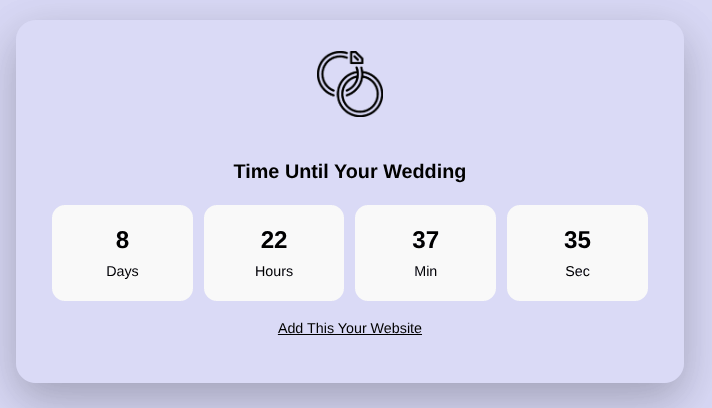
If you are embedding this calculator on your website, it automatically adjusts to an embed-friendly layout when accessed through a shared link. This means unnecessary elements like headers and navigation bars are hidden, allowing the countdown to stay clean and focused.
Important Things to Keep in Mind
The tool is designed to be user-friendly, so you do not need any technical knowledge to use it effectively. Just select your date, start the countdown, and optionally share the link. One thing to keep in mind is that the calculator calculates the next occurrence of your selected date if the current year’s date has already passed. This ensures that the countdown always points to the upcoming wedding date rather than a past one. For best results, always double-check the date you select to avoid confusion.
Why This Calculator Is Useful
This calculator is not just functional but also enhances the emotional aspect of wedding planning. Watching the countdown can build excitement and keep you motivated as you prepare for your big day. It can also be a fun way to involve friends and family by sharing the countdown link. Overall, this tool combines simplicity, accuracy, and shareability, making it a practical addition to your wedding planning process.
FAQs
It calculates and displays the exact time remaining until your selected wedding date in days, hours, minutes, and seconds, updating in real time.
Select your wedding date using the date picker and click the “Start Countdown” button to begin.
Yes, once the countdown starts, a unique link is generated that you can copy and share with anyone.
Yes, the timer updates every second without needing to refresh the page.
Yes, the calculator supports embed mode, making it easy to display on your own webpage.
Fullscreen mode is fully live and synced with the main countdown, so the time updates in real time.
Yes, simply select a new date and click the start button again to reset the timer.
Make sure you have selected a valid date and clicked the start button, and check that your browser supports JavaScript for proper functionality.