
Embedding the Widget on Your Website
You can easily add the Wedding Countdown Widget to your website using a simple iframe. This allows you to display a live, real-time countdown directly on your webpage without any complex setup. All you need to do is copy the embed code and customize the date according to your wedding.
Example Embed Code
Here is a sample iframe you can use:
<iframe src="https://www.calculatepal.com/wedding-counter-calculator/?date=2026-03-30" style="height:78vh; width:100%; border:none;"></iframe>
How to Customize the Date
The date in the URL (2026-03-30) represents the wedding date in YYYY-MM-DD format. To use your own date, simply replace this value with your actual wedding date. For example, if your wedding is on December 15, 2027, you would update the URL like this:
<iframe src="https://www.calculatepal.com/wedding-counter-calculator/?date=2027-12-15" style="height:78vh; width:100%; border:none;"></iframe>
Alternative Method to Get the Link
If you prefer not to manually edit the date, you can use the Wedding Countdown Calculator. Select your wedding date and start the countdown. The tool will automatically generate a shareable link with your date included. You can copy that link and paste it inside the iframe src attribute.
Where to Use This Embed
You can place this iframe code anywhere on your website where HTML is supported. It works well on landing pages, wedding websites, blogs, or even event pages. Once added, the widget will display a fully functional countdown that updates every second.
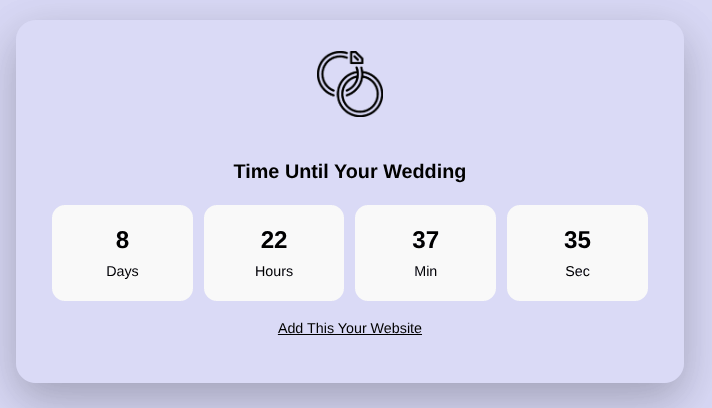
Just like this:
What This Does
After embedding, your website will show a live wedding countdown that visitors can view instantly. The widget runs independently, so it does not require any additional scripts or maintenance. It automatically adjusts to the screen size and provides a clean, distraction-free experience.
By embedding this widget, you can create a dynamic and engaging element on your site that keeps visitors excited and informed about your upcoming wedding.
Getting Started with the Widget
To begin using the Wedding Countdown Widget, you first need to select your wedding date. The widget includes a date input field where you can choose your special day. Click on the field, and a calendar will appear. From there, navigate to your desired month and year, and select the correct date. Once your date is set, click the “Start Countdown” button.
As soon as you start the countdown, the widget activates and displays the remaining time. You will see four clearly defined sections that show the number of days, hours, minutes, and seconds left until your wedding. The timer updates every second automatically, so there is no need to refresh the page or restart the tool.
Understanding How the Countdown Works
Real-Time Updates
One of the most important features of the widget is its real-time functionality. The countdown continuously updates every second, ensuring that the time displayed is always accurate. This creates a dynamic experience that keeps users engaged and adds a sense of anticipation as the big day approaches.
Smart Date Handling
The widget is designed to handle dates intelligently. If you select a date that has already passed in the current year, the widget automatically adjusts and counts down to the same date in the next year. This ensures that your countdown always points to an upcoming event rather than a past one.
Sharing Your Wedding Countdown
Generating a Shareable Link
After starting the countdown, the widget generates a unique URL based on your selected wedding date. This link can be copied and shared with anyone. When someone opens the link, they will see the same countdown already set up and running.
Where You Can Share It
You can use this link in multiple ways. Share it on social media platforms, send it through messaging apps, or include it in your wedding invitations. It is also a great addition to email updates or wedding planning groups, helping everyone stay informed about how much time is left.
Best Practices for Using the Widget
Double-Check Your Date
Before starting the countdown, always make sure you have selected the correct wedding date. A small mistake in the date can lead to an incorrect countdown, which may confuse you and your guests.
Keep the Widget Accessible
If you are embedding the widget on your website, place it in a visible area such as the homepage or a dedicated wedding section. This ensures that visitors can easily find and interact with it.
Use It to Build Excitement
The countdown is more than just a timer. It is a way to build anticipation and keep your wedding on everyone’s mind. Encourage friends and family to check the countdown regularly or share it with others to spread the excitement.
Why the Wedding Countdown Widget Is Useful
The Wedding Countdown Widget combines simplicity, functionality, and shareability in one tool. It requires no installation, works directly in the browser, and adapts to different use cases such as personal viewing, sharing, and embedding. The real-time updates ensure accuracy, while the clean design keeps the focus on what matters most—the time left until your wedding.
By using this widget, you not only stay organized but also create a memorable experience for yourself and your loved ones. Watching the countdown tick down each day can make the journey to your wedding even more special, turning every moment into something to look forward to.